
Away Some Article
  • Home
  • Submit a Guest Post
  • Digital Marketing
  • General
  • Business
  • More
    • Web and Mobile Development
    • Write for Us Health
    • Write For Us Games, Online Gaming, Gaming Reviews
No Result
View All Result
Write for us
Away Some Article
  • Home
  • Submit a Guest Post
  • Digital Marketing
  • General
  • Business
  • More
    • Web and Mobile Development
    • Write for Us Health
    • Write For Us Games, Online Gaming, Gaming Reviews
No Result
View All Result
awaysomearticle
No Result
View All Result

How to use Firebase Cloud Messaging

Away Some Article by Away Some Article
December 23, 2022
in Technology
0
image-64207dcf

Firebase Cloud Messaging

Share on FacebookShare on Twitter

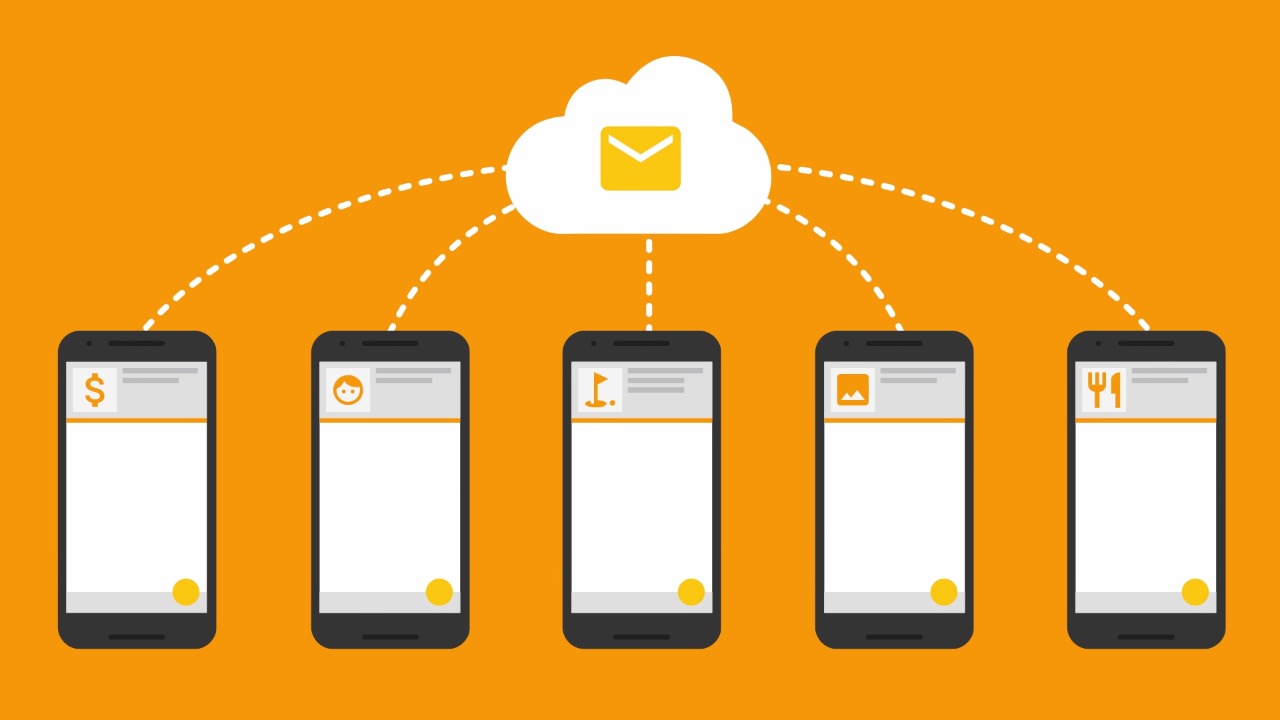
Firebase cloud messaging is a free real-time notification service that sends client app notifications. It can consistently send notifications with payloads up to 4Kb. Through FCM supports sending notifications via an app server, the Firebase admin SDK is used in this case.

Just like cloud messaging you can learn the information about other tech features with techwhoop that you never knew existed. This page includes a sample app that can demonstrate to you the way to use this service.

You might also like

edit post
Top 7 WooCommerce Development Companies in UAE

Top 7 WooCommerce Development Companies in UAE

September 29, 2023
edit post
Annotation 2023-05-10 140417

5 Ways AI is Driving Digital Transformation in Business

May 13, 2023

Step 1: Include Firebase in The Project

Please see Adding Firebase to Android App for instructions on incorporating Firebase into your project. The following is a rundown on how to add FCM to the app.

To access Cloud Messaging, go to Tools -> Firebase -> Cloud Messaging -> Create a Firebase Cloud Messaging account. Connect your app to Firebase using the following steps: Complete the three stages in the Firebase project creation process.

Step 2: Gather All of The Necessary Drawable Resources

As a drawable resource, the following icon has been utilized. Toss all the drawable resources into a folder called drawable resources.

Step 3: Edit The Activity main.xml File

The app’s home screen currently only contains a Text View, but it can be customized to meet specific needs.

Step 4: Develop The Notification Layout

To design the layout for the Notification, create a new notification.xml file. This step is optional because you can set the content and Title directly without changing the Notification’s appearance; however, the notice in this example has the following layout. The following is the Notification content: An Image View is a container for images—a Text View for the Message and a Text View for the Title.

Step 5: Create The Message-Receiving Class

Make a class called FirebaseMessageReceiver.java. This class extends the Firebase Messaging Service. To recognize the Firebase Messaging Service as a service in the app, add the following code to the AndroidManifest.xml file between the /activity> and /application> tags.

 While the client app is running in the background, this service must handle messages beyond receiving notifications. You can also use it to get notifications from foreground apps, among other things. The AndroidManifest.xml file in its entirety is provided below.

Step 6: Working With The FirebaseMessageReceiver.java Class

Firebase Message Receiver. The on Message Received () method of the java class is overridden to handle two events:

If the Notification has a data payload, the app server sends it if the Notification is sent via the Firebase Admin SDK and has any notification payload.

Remote Message is passed as a parameter to this method. Remote Message is an Object Class extension that implements the Parcel able interface. It’s nothing more than the Message’s object transmitted through FCM. After that, the above function runs a user-defined method called show Notification (), which has two parameters. The code itself contains comments that provide a full explanation. Notifications in Android versions higher than Oreo require a notification channel.

Step 7: Finish The MainActivity.java Program

Because the activity main.xml file does not include much information, the Main Activity file does not require any more code.

Step 8: Use FCM to Send The Notification

1) Select the relevant project from the Firebase console.

2) Cloud Messaging is a good option.

3) Choose First, and send a message. The window below appears. Fill in the blanks. The text field is required, while the rest is optional. You can even add an image via a link or by uploading it; however, adding an image incurs additional storage fees.

4) Choose the app domain in the target area.

5) You can either send the Notification right away or schedule it for a later date.

6) The remaining fields are optional and can be left blank. After that, select Review and then Publish.

Tags: firebase
Away Some Article

Away Some Article

Away Some Article is an experienced writer who has written a plethora of articles, based on technology. Her extensive knowledge about Technology is evident from the articles, written in this blog. you need submit a guest post?, then contact us

Related Stories

edit post
Top 7 WooCommerce Development Companies in UAE

Top 7 WooCommerce Development Companies in UAE

by Away Some Article
September 29, 2023
0

The categorical surge in the demand for consumer trade through digital means in the Middle East, particularly in the UAE,...

edit post
Annotation 2023-05-10 140417

5 Ways AI is Driving Digital Transformation in Business

by Away Some Article
May 13, 2023
0

In today's fast-paced and ever-changing business landscape, digital transformation has become a necessity for organizations looking to stay ahead of...

edit post
Artificial Intelligence

10 Ai Trends to Watch in 2023

by Away Some Article
December 12, 2022
0

Artificial intelligence - the hottest buzzword in the global tech market, makes life easier on this busy timeline. AI models...

edit post

Reasons to Invest in Home Theater Power

by Away Some Article
October 4, 2022
0

People who enjoy an outstanding home theatre experience should opt for the power managers. It is a popular piece of...

Next Post
edit post

How Can Print Query in Drupal 9

Leave a Reply Cancel reply

Your email address will not be published. Required fields are marked *

Submit A Guest post | Away Some Article & Blog

Useful Links

  • About Us
  • Contact us
  • Latest Article
  • Privacy Policy
  • Disclaimer
  • DMCA Policy

Follow us

Populer Posts

edit post
Top AI Remote Companies in Arizona

Top AI Remote Companies in Arizona

October 10, 2025
edit post

Top Automotive Companies in Arizona

September 8, 2025
edit post
Top-Free-Dating-Apps

Top Dating Apps Without Subscription: Experience Unique Match Making for Free

September 8, 2025
edit post
Top Finance & Payments Companies in Arizona

Top Finance & Payments Companies in Arizona

October 10, 2025

Browse Category

Beauty Business Career Content Management System Digital Marketing Digital Marketing Trends 2020 Drupal 8 Drupal 9 eCommerce Businesses Fashion Finance Games General Gift Google Flutter Guest Post Guest Posting Hair Care Tips Health Home Home improvement Interior Design Jobs Lifestyle Magento 2 Magento 2 App Development Mobile & Web Development Mobile App Development Online Business Real Estate SEO SEO Digital Marketing Social Media Social Media Marketing Software Technology Tips Travel Traveling Uncategorized Web and Mobile Development Web Designing Web Development Web Development Services Yoga

Copyright © 2025 Away Some Article. All rights reserved.

No Result
View All Result
  • Home
  • Submit a Guest Post
  • Digital Marketing
  • General
  • Business
  • Mobile App Development
  • Web and Mobile Development
  • Write For Us Games, Online Gaming, Gaming Reviews
  • Contact us

Copyright © 2025 All rights reserved.



